
Does Your Business Know Which Data Removal Method Is Actually Safe?
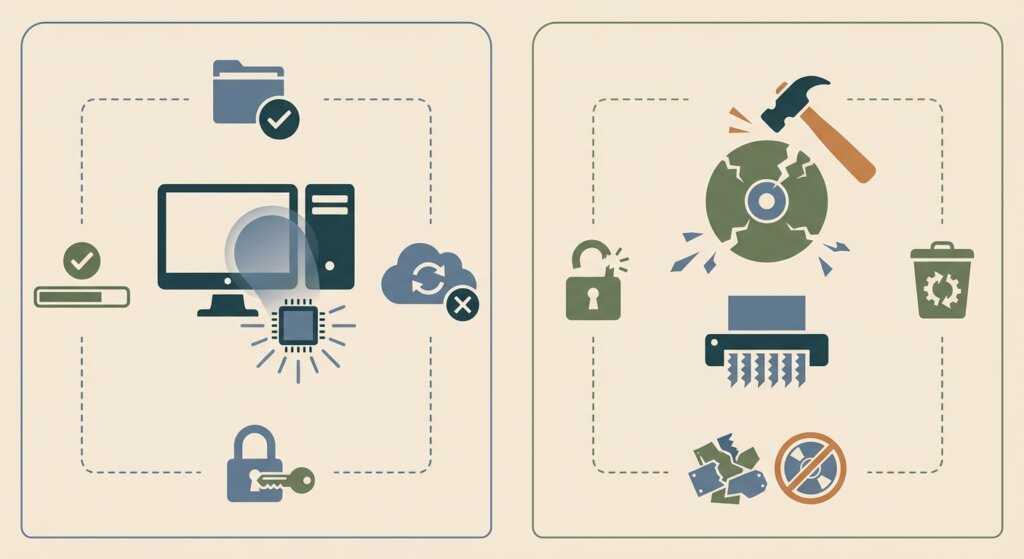
Data destruction permanently eliminates data through physical methods such as shredding or crushing, making recovery technically impossible. Data erasure (also called data wiping) overwrites stored data using software, keeping the hardware intact and reusable. For UK businesses, the right choice depends on storage media type, data classification, and whether devices will be reused or disposed of — with both methods supporting UK GDPR compliance when performed correctly.
Every year, UK businesses face a critical but often overlooked decision when retiring IT equipment: how exactly should the data on those devices be removed? The answer is not as straightforward as it might appear. Two primary approaches exist — data destruction and data erasure — and choosing the wrong one for your situation can leave your organisation exposed to data breaches, ICO fines, and reputational damage.
This question is not merely technical. It sits at the intersection of data protection law, hardware security, environmental compliance, and cost management. A laptop being refurbished for resale requires a different approach than a server that processed classified financial data. An HDD from a desktop computer responds differently to overwriting than an SSD from a modern workstation.
Getting the decision right matters enormously. The ICO actively investigates data breaches caused by improperly sanitised hardware. Research consistently shows that a significant proportion of second-hand hard drives purchased on the open market still contain recoverable data from previous users. In a regulatory environment where UK GDPR fines can reach £17.5 million, understanding the difference between data destruction and data erasure — and when to use each — is not optional for any responsible UK business.
This guide explains both methods in plain terms, compares their strengths and limitations, and gives UK businesses the practical framework to make the right decision for their specific circumstances. We also cover the relevant compliance standards — including NCSC guidance, UK GDPR requirements, and ICO expectations — so you can be confident your chosen approach holds up to scrutiny.
What Is Data Destruction?
Data destruction is the permanent, irreversible elimination of data through physical means. When a storage device is physically destroyed, the magnetic platters, flash memory chips, or other storage media are reduced to a state where no data can ever be recovered — regardless of the tools, techniques, or resources available to an adversary.
Physical data destruction takes several forms, each suited to different situations:
Hard Drive Shredding
Industrial shredding machines reduce hard drives and SSDs to small fragments — typically less than 6mm for HDDs and 2mm for SSDs — using rotating cutting blades. This is the gold standard for physical destruction. Shredding is fast, scalable for large volumes, and provides absolute assurance that no data survives. Certificate of Destruction documentation is typically generated per-device, including serial numbers.
Degaussing exposes magnetic storage media — primarily traditional hard drives — to a powerful magnetic field that randomises the magnetic encoding of data. It is a purge technique for legacy magnetic media rather than a destroy method: NIST SP 800-88 Rev 2 makes that distinction explicit, and a degausser whose field strength is mismatched to the drive's coercivity may not sanitise the data at all, so degaussing should be followed by physical destruction where destruction is required. It is ineffective for SSDs, NVMe drives, and optical media because they do not store data magnetically. A degaussed HDD is usually non-functional and cannot be reused.
Disintegration and Crushing
For organisations handling the most sensitive data — government, defence, intelligence — disintegration or crushing may be used. Disintegrators reduce media to particles smaller than 2mm. Crushing deforms the drive platters or SSD chips beyond any possibility of data recovery, though it produces larger fragments than shredding. These methods are typically used for RESTRICTED or SECRET-classified data under government security frameworks.
100%
Data recovery success rate after certified shredding — zero. Physical destruction is the only absolute guarantee.
What Is Data Erasure?
Data erasure (also called data wiping or data sanitisation via overwriting) is a software-based process that overwrites every storage location on a device with random or pattern data, preventing recovery of the original content. Unlike deletion (which simply removes the file system entry pointing to the data), proper overwriting replaces the actual data on the drive with new data, making the original content unrecoverable using commercially available tools.
The key advantage of data erasure over destruction is that the hardware remains functional and reusable. A laptop can be wiped and then refurbished, donated, or sold — recovering some of its residual value. This makes data erasure the preferred approach in circular economy and device remarketing scenarios.
Overwriting Standards
Not all data wiping is equal. The security of erasure depends entirely on the standard applied:
- Single-pass overwrite: Writes zeros or random data across the entire drive once. Suitable for lower-risk scenarios where drives will not pass to third parties.
- HMG Infosec Standard 5 (IS5): The UK government's own standard. Baseline requires one pass of random data; Enhanced requires three passes with a final verification. This is the standard expected for government and public sector.
- NIST 800-88 (Clear): The US National Institute of Standards and Technology standard, widely used in UK commercial contexts. Clear-level involves overwriting user-addressable storage locations. For HDDs, a single pass is typically sufficient. For SSDs, NIST 800-88 explicitly notes that Clear-level may be insufficient.
- DoD 5220.22-M: Previously used by the US Department of Defense, this seven-pass standard was widely cited but has been deprecated as overwriting research has shown single and three-pass methods to be sufficient for HDDs when performed correctly.
- Blancco / ADISA-certified tools: Specialist erasure software that provides automated verification and reporting of the wiping process, generating auditable certificates per device.
Cryptographic Erasure
A specialised form of erasure available on encrypted devices is cryptographic erasure (or crypto-shredding). When a device uses full-disk encryption — such as BitLocker on Windows or FileVault on macOS — the data is only readable with the encryption key. Destroying the encryption key renders the data computationally unrecoverable, even if the physical storage media is intact. This is accepted by the NCSC as a valid sanitisation method for devices using strong encryption (AES-256 or equivalent).
Important SSD Warning
Software overwriting is not reliably effective for SSDs, NVMe drives, or flash storage. Because of wear-levelling, over-provisioning, and bad block management, not all storage locations on an SSD are accessible to the operating system. Traditional overwriting techniques cannot guarantee that data in these hidden locations has been addressed. For SSDs, the NCSC recommends physical destruction or cryptographic erasure where encryption was active from the beginning of use.
Data Destruction vs Data Erasure: Full Comparison
The following table provides a direct comparison of both methods across the factors that matter most to UK businesses:
| Factor | Data Destruction (Physical) | Data Erasure (Software Wipe) |
|---|---|---|
| Data Security Level | Absolute — recovery is technically impossible | High for HDDs — limited for SSDs without encryption |
| Device Reuse | Not possible — device is destroyed | Yes — device remains functional and reusable |
| Cost | Processing fee; no hardware value recovery | Often net-zero or revenue-generating via remarketing |
| SSD / NVMe Suitability | Yes — shredding eliminates all storage media | No — software wiping unreliable for flash storage |
| UK GDPR Compliance | Yes, when certified and documented | Yes, when performed to NCSC/HMG IS5 standard |
| Environmental Impact | Higher material waste — must be WEEE compliant | Lower impact when device is reused or remarketed |
| Certificate of Destruction | Yes — standard for certified ITAD providers | Yes — specialist erasure tools generate per-device reports |
| Speed and Scalability | Very fast — industrial shredders process hundreds per hour | Slower — wiping takes hours per device depending on capacity |
| High-Classification Data | Required for OFFICIAL-SENSITIVE and above | Typically insufficient for highest classifications |
| On-Site Option | Available — witnessed on-site hard drive crushing | Available — specialist technicians can perform on-site wiping |
| Auditor Acceptance | Universally accepted as highest assurance | Accepted when certified and standard-compliant |
When to Use Data Destruction vs Data Erasure
The right method depends on a combination of factors: the type of storage media, the sensitivity of the data it held, what you plan to do with the device after sanitisation, and your sector's regulatory requirements. Here is a practical framework for making that decision.
Use Physical Destruction When:
- Devices contain SSDs, NVMe, or flash storage: Since software overwriting cannot guarantee complete erasure of flash-based media, physical destruction is the only reliable approach for these device types. This applies to all modern laptops, many enterprise servers, and virtually all devices manufactured after 2015.
- Devices held special category or highly sensitive data: Medical records, financial transaction data, legal privileged communications, and government classified information all warrant physical destruction as the baseline approach. The risk of residual data is simply too high to rely on software methods alone.
- Devices are at end of life with no reuse value: If a device is too old, damaged, or degraded to have any resale or donation value, physical destruction is the most efficient approach. There is no advantage to preserving the hardware.
- Your organisation is in a regulated sector with strict requirements: Public sector, defence, and financial services organisations often face requirements — from the NCSC, FCA, or their own internal security policies — that mandate physical destruction for devices reaching end of life.
- You cannot verify that encryption was active from day one: Cryptographic erasure is only valid if the device has been encrypted throughout its entire use. If there is any uncertainty about whether encryption covered all data written to the device, physical destruction is the safer choice.
- Devices show signs of damage or failure: Failing drives may not be wipe-able by software tools. Physical destruction is the only option for storage media that cannot be successfully accessed for overwriting.
Use Data Erasure When:
- Devices will be reused, remarketed, or donated: If a device has residual value or will be passed to another user, physical destruction is not an option. Software erasure to an appropriate standard allows the device to be sanitised while retaining its functionality.
- Devices have HDD (mechanical hard drives): Traditional spinning hard disk drives respond reliably to overwriting when performed to HMG IS5 or NIST 800-88 Purge standard. This is the most established use case for software-based erasure.
- Devices use full-disk encryption (FDE) and have from the start: If a device has been encrypted throughout its lifecycle using a strong algorithm (AES-256), destroying the encryption key constitutes a valid and NCSC-accepted sanitisation method — the data remains on the disk but is computationally unrecoverable.
- Volume and timing require in-situ processing: Where devices need to be sanitised but cannot easily be transported (large servers, rack-mounted equipment), on-site erasure by certified technicians may be the most practical option — though this should still be followed by physical destruction of storage media for the highest-security environments.
- Budget constraints are significant and risk classification is lower: For internal device transfers (moving a laptop from one employee to another within the same organisation), a single-pass wipe of a HDD may be proportionate where the device is not leaving organisational control.
Pro Tip: The Combination Approach
Many businesses use both methods simultaneously. For devices with HDDs that have market value, a certified software wipe enables remarketing of the full unit. For the same devices where only the storage media has sensitivity (e.g., in a device too old to have resale value), the drive can be removed and physically shredded while the rest of the chassis is sent for material recycling. A good ITAD partner will help you optimise the approach for each batch of devices.
Storage Media Type Guide: Which Method to Use
The choice of sanitisation method is fundamentally driven by the type of storage media. Here is a concise reference for the most common device types UK businesses encounter:
HDD (Hard Disk Drive) — Traditional Spinning Drives
Best methods: Software overwriting (HMG IS5 or NIST 800-88 Purge) or physical shredding. HDDs respond reliably to overwriting because data is stored magnetically and overwriting addresses all accessible sectors. When devices will be reused, software wiping is appropriate. When devices are at end of life, shredding is faster and provides absolute assurance.
SSD (Solid State Drive) — Including SATA SSDs
Best methods: Physical shredding (recommended) or cryptographic erasure (if full-disk encryption was active throughout use). Software overwriting is NOT recommended for SSDs. The NCSC and NIST both note that traditional overwriting cannot guarantee complete erasure of flash-based storage due to wear-levelling. For devices containing personal data, shredding provides the only guarantee.
NVMe Drive — PCIe-Attached Storage
Best methods: Physical shredding or cryptographic erasure. NVMe drives present the same challenges as SATA SSDs with regard to overwriting. Additionally, NVMe drives are often soldered directly to the motherboard in modern thin laptops, making physical removal and separate destruction a logistical challenge — which is why whole-device shredding is often the most practical approach for modern laptops with NVMe storage.
USB Flash Drives and Memory Cards
Best methods: Physical shredding or disintegration. USB sticks and SD cards use the same flash memory technology as SSDs and have the same vulnerabilities to overwriting limitations. For any flash media that has held personal or sensitive data, physical destruction is the only reliable approach.
Mobile Devices (Smartphones and Tablets)
Best methods: Factory reset combined with encryption (for devices that will be reused) or physical destruction. Apple iOS and modern Android devices encrypt storage by default. A factory reset on an encrypted device is effectively a form of cryptographic erasure — but only if encryption was active and a strong passcode was set throughout use. For devices with uncertain encryption history or containing sensitive data, physical destruction of the device is recommended.
Tape Media
Best methods: Physical shredding, with degaussing as a purge step where required. Magnetic tape (LTO and other formats) is widely used for backup storage and, being legacy magnetic media, is a category where degaussing still applies as a purge technique under NIST SP 800-88 Rev 2. For the highest assurance, physical shredding or disintegration is preferred, particularly where tape media has held backup copies of sensitive systems.
UK Compliance Context: ICO, UK GDPR, and NCSC Standards
Both data destruction and data erasure can achieve UK GDPR compliance — but only when implemented correctly and documented appropriately. The regulatory framework sets the requirements; your chosen method must meet them.
ICO Expectations
The Information Commissioner's Office (ICO) expects organisations to implement "appropriate technical and organisational measures" to protect personal data, including at end-of-life (UK GDPR Article 32). The ICO has been clear in enforcement actions and guidance that simply deleting files or performing a basic format is not sufficient. The ICO expects organisations to:
- Apply a documented data sanitisation process appropriate to the sensitivity of data held
- Use certified providers or certified methods with independent verification
- Retain evidence of sanitisation (Certificates of Destruction or erasure reports)
- Ensure that sanitisation covers all devices including mobile phones, tablets, printers, and photocopiers (all of which may store personal data)
NCSC Data Sanitisation Guidance
The NCSC's data sanitisation guidance defines three levels of sanitisation that organisations should apply based on data sensitivity and the destination of the device:
- Clear: Applies logical techniques to sanitise data in all user-addressable storage locations. Appropriate for lower-risk reuse scenarios within trusted environments.
- Purge: Applies physical or logical techniques that render recovery infeasible even using state-of-the-art laboratory techniques. Required for data that will leave organisational control (e.g., device donated or sold).
- Destroy: Renders the storage media completely unusable so that information cannot be recovered by any means. Required for the highest sensitivity data and recommended for SSDs.
For most UK businesses disposing of devices that held personal data, the minimum standard should be NCSC Purge-level — which for HDDs means overwriting with certified software, and for SSDs means physical destruction or cryptographic erasure.
Data Classification and Method Selection
UK GDPR recognises that not all personal data carries the same risk. The concept of "appropriate" security measures implies that the sanitisation method should be proportionate to the sensitivity of the data held. As a practical guide:
- Standard personal data (names, addresses, contact details): HMG IS5 Baseline overwriting for HDDs; physical destruction for SSDs. Certificate of Destruction required.
- Financial data, payment records, account information: HMG IS5 Enhanced (3-pass) overwriting for HDDs; physical destruction for SSDs. Recommended: physical destruction for all media types.
- Special category data (health, biometrics, political, religious): Physical destruction recommended for all media types. Cryptographic erasure acceptable for encrypted devices with verified encryption history.
- Government OFFICIAL-SENSITIVE or equivalent: Physical destruction required (shredding or disintegration to specified particle sizes per HMG Infosec Standard 5 Enhanced).
Related resource: If you are disposing of devices and need certified data destruction documentation, read our guide on data destruction certificates — what UK businesses must know. You should also read our comparison of hard drive shredding vs wiping for a detailed look at the physical destruction options available.
Evidence and Documentation: What You Must Keep
Regardless of whether you choose data destruction or data erasure, the documentation you retain is your primary defence in the event of an ICO investigation, an insurance claim, or an audit by a client or regulator. The evidence requirements are the same for both methods.
For Data Destruction
- Certificate of Destruction: Must list each device individually by serial number, make, model, and the date and method of destruction. Generic batch certificates are insufficient for ICO compliance.
- Collection record: A signed record of what was collected from your premises on the day, reconciled at the facility to a serial-matched asset report listing serial numbers and asset tags.
- WEEE waste transfer note: Evidence that WEEE-compliant disposal was used for the resulting material.
- Provider credentials: Copies of your ITAD provider's ISO 27001 certificate, waste carrier licence, and any other relevant accreditations.
For Data Erasure
- Erasure report / Certificate of Erasure: Software-generated report per device confirming the erasure standard applied, number of passes, verification status, and device serial number. Tools like Blancco generate these automatically.
- Verification status: Reputable erasure tools include a verification pass that confirms every sector was successfully overwritten. Reports should show verification status as passed.
- Erasure software details: Record which software was used, the version, and the standard applied.
- Data on who performed the erasure: In-house or third-party technician details, date of erasure, and signature/sign-off by a responsible officer.
All documentation should be retained for a minimum of three years, and longer in regulated sectors (financial services: typically five to seven years per FCA requirements; NHS: as per NHSE records management guidance). Digital storage of these records is recommended for longevity and ease of retrieval.
Choosing a Provider: What to Look for
Whether you choose physical destruction or certified erasure, engaging a qualified third-party provider is almost always preferable to attempting either in-house. The key credentials to look for are:
- ISO 27001 certification: The international information security management standard. This is non-negotiable for any provider handling data-bearing devices. Request the actual certificate and verify the certifying body.
- Environment Agency Waste Carrier Licence (upper-tier): Required to legally transport IT waste in the UK. Verify directly on the Environment Agency public register.
- Appropriate Environment Agency permit or exemption: Providers who process WEEE at their facility need the correct environmental permits. Innovent holds a T11 Exemption for our processing operations.
- Data Processing Agreement: Under UK GDPR Article 28, you must have a written DPA in place with any party that handles personal data on your behalf. A reputable provider will offer this as standard.
- Per-device Certificates of Destruction or Erasure: Not batch certificates — individual serial-number-level documentation for every data-bearing device.
- Transparency about sub-contractors: If any part of the process is outsourced (e.g., shredding), you should know who is involved and they should hold the same credentials.
Innovent Recycling provides certified secure data destruction services for UK businesses, with ISO 27001 certification, T11 Exemption, and Waste Carrier Licence. We issue per-device Certificates of Destruction for every collection and provide a Data Processing Agreement as standard. We also provide a comprehensive IT recycling service that handles secure collection, certified destruction, and responsible disposal of all business hardware.
Key Takeaways
- Data destruction = physical; data erasure = software: Destruction is irreversible and device-ending; erasure preserves hardware for reuse. Both can comply with UK GDPR when done correctly.
- Storage media type is the critical decision factor: HDDs can be reliably wiped via software; SSDs and NVMe drives should be physically destroyed due to flash memory limitations.
- Software wiping is not sufficient for SSDs: This is the single most common misunderstanding in enterprise data disposal. Modern devices almost universally use SSD storage, making physical destruction the default for any device leaving organisational control.
- Cryptographic erasure is valid — with conditions: Destroying the encryption key is NCSC-accepted, but only when strong encryption has been active throughout the entire lifecycle of the device.
- Both methods require documentation: Certificates of Destruction or Erasure, a signed record of what was collected on the day reconciled to a serial-matched asset report at the facility, and provider credentials are your evidence of compliance. Retain for minimum three years.
- Combination approaches are common: Many businesses use erasure for reusable HDD-equipped devices and destruction for SSDs and end-of-life hardware simultaneously.
- The ICO expects "appropriate" measures: What is appropriate scales with data sensitivity — special category data demands more rigorous sanitisation than standard personal contact details.
- Always use a certified provider: ISO 27001 certification, a valid waste carrier licence, and a Data Processing Agreement are the minimum credentials to verify before engaging any ITAD partner.
Frequently Asked Questions
What is the difference between data destruction and data erasure?
Data destruction refers to the permanent physical elimination of storage media — through shredding, crushing, or disintegration — making data recovery technically impossible. Data erasure (also called data wiping) uses software to overwrite every storage location on a device with random data, making original content unrecoverable while leaving the hardware intact and reusable. Both methods can achieve UK GDPR compliance when performed to the appropriate standard and documented correctly. The key difference is that destruction renders the device unusable, while erasure preserves it for reuse or remarketing.
Is data erasure safe for SSDs?
No — traditional software overwriting is not reliably safe for SSDs (solid state drives), NVMe drives, or flash storage. Because SSDs use wear-levelling algorithms to distribute writes across flash cells, not all physical storage locations are accessible to the operating system. Software that overwrites "all sectors" as presented to the OS may miss data in over-provisioned areas, bad blocks, or remapped cells. The NCSC and NIST 800-88 both note this limitation. For SSDs containing personal data, physical shredding is the recommended approach. If the device has been encrypted throughout its lifecycle using AES-256, cryptographic erasure (destroying the encryption key) is an acceptable alternative.
Does deleting files count as data erasure?
No — deleting files or performing a quick format is not data erasure and provides no meaningful data protection. When you delete a file, the operating system simply marks the storage location as available for reuse, but the data itself remains on the drive until that location is physically overwritten by new data. Deleted files are trivially recoverable using free data recovery software. For UK GDPR compliance purposes, deletion or formatting is not an acceptable approach to data sanitisation for devices leaving organisational control. Proper erasure requires overwriting every accessible storage location with random or pattern data using certified software.
What data destruction standard does the UK government use?
The UK government uses HMG Infosec Standard 5 (IS5) for data sanitisation requirements. IS5 Baseline requires one pass of random data overwriting followed by verification; IS5 Enhanced requires three passes. For physical destruction, IS5 specifies particle sizes that vary by information classification — for example, OFFICIAL-SENSITIVE material requires shredding to particles no larger than 6mm x 6mm for HDDs. Public sector and government organisations are expected to apply these standards, and many private sector organisations in regulated industries adopt them as a best practice benchmark. The NCSC provides updated guidance that supersedes some elements of IS5 for specific media types.
Can I wipe a hard drive myself and be GDPR compliant?
In theory, yes — if you use certified overwriting software, apply the correct standard (HMG IS5 or NIST 800-88), verify the result, and document the process. In practice, most organisations lack the specialist tools, staff training, and auditable reporting infrastructure to demonstrate this compliantly. The ICO expects evidence of systematic, documented sanitisation — not an ad hoc process. Engaging a certified ITAD provider (ISO 27001, valid waste carrier licence) typically provides a stronger audit trail because they generate per-device Certificates of Destruction or Erasure with independent verification. For devices containing sensitive personal data, third-party certification is strongly recommended.
How long should I keep data destruction certificates?
Retain data destruction or erasure certificates for a minimum of three years. However, sector-specific requirements may extend this period: financial services organisations should follow FCA record-keeping requirements (typically five to seven years for most records); NHS and public sector organisations should follow NHSE records management guidance. Given the negligible storage cost of digital records, many organisations retain disposal documentation indefinitely. Certificates should be stored in a secure, searchable format — not just in email inboxes — so they can be retrieved quickly in response to an ICO information request or audit.
What is cryptographic erasure and when should I use it?
Cryptographic erasure (or crypto-shredding) involves destroying the encryption key of a device that has been fully encrypted throughout its use, rendering the stored data computationally unrecoverable even though it physically remains on the storage media. It is accepted by the NCSC as a valid sanitisation method for encrypted SSDs and mobile devices where full-disk encryption (AES-256 or equivalent) has been active from initial provisioning. Crucially, this only works if you can verify that encryption was enabled before any sensitive data was written to the device. If there is any uncertainty about the encryption history, physical destruction is the safer choice. Cryptographic erasure is particularly useful for large fleets of encrypted mobile devices or for cloud and virtual storage where physical destruction is impractical.
Which method is better for the environment — destruction or erasure?
Data erasure has a lower environmental impact when it enables device reuse. If a laptop can be securely wiped and then refurbished for a second lifecycle, this avoids the manufacturing emissions associated with producing a new device — which typically accounts for 70-80% of a device's lifetime carbon footprint. Physical destruction eliminates this option but is still environmentally preferable to landfill: a certified ITAD partner recovers materials from destroyed devices for recycling under WEEE-compliant processes, with zero-to-landfill outcomes. The most sustainable approach depends on device condition: if a device can be refurbished, erasure supports circular economy principles. If it cannot, certified destruction with responsible recycling is the appropriate path.
Found this guide helpful? Share it!
Help other UK businesses understand their data disposal options



About Innovent Recycling
Innovent Recycling is a UK-based specialist in secure IT asset disposal and recycling. With ISO 27001 certification, Environment Agency T11 Exemption, and an upper-tier Waste Carrier Licence, we provide comprehensive, compliant IT disposal solutions for businesses across the United Kingdom.
Our services include:
- Certified Data Destruction - Physical shredding and software erasure to NCSC and HMG IS5 standards
- IT Equipment Recycling - Secure, compliant disposal of all business IT assets
- IT Asset Disposal - End-to-end ITAD with full chain of custody documentation
- Nationwide Collections - Free collection service available UK-wide
Trusted by businesses across the UK for secure, compliant IT disposal. View our accreditations and certifications.
Need Certified Data Destruction or Erasure?
Get a free quote for compliant data sanitisation. We issue per-device Certificates of Destruction for every job, covering both physical shredding and certified software erasure.
Or call us on 0151 355 5482