Is Your Data Truly Destroyed When You Dispose of Hard Drives?
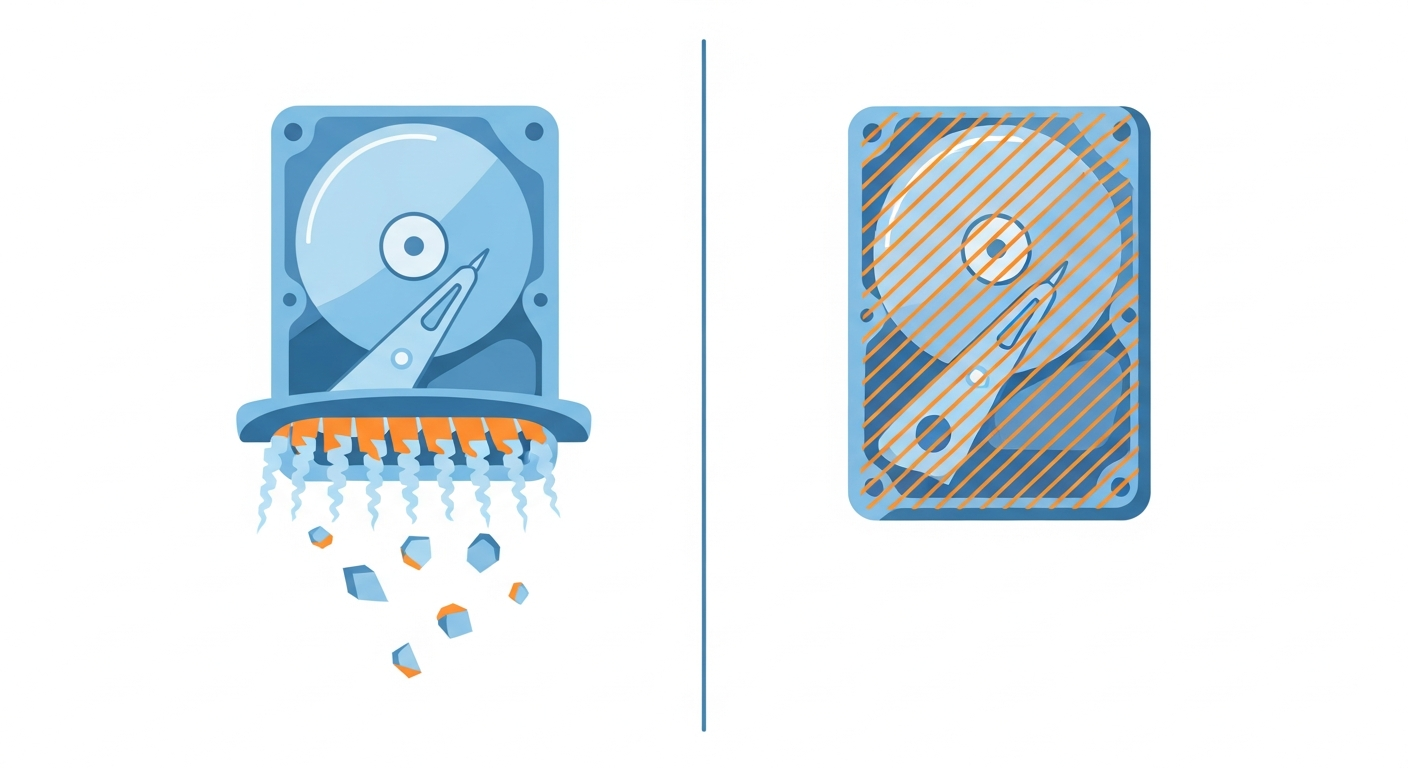
When it comes to disposing of old IT equipment, one question keeps business owners and IT managers awake at night: “Is our sensitive data truly gone?” The choice between hard drive shredding and software wiping can mean the difference between complete security and a catastrophic data breach that costs your company millions in fines, reputation damage, and lost business.
With GDPR fines reaching up to 4% of annual turnover and the ICO issuing penalties for improper data disposal, choosing the right data destruction method isn’t just an IT decision—it’s a critical business risk management issue. Whether you run a 10-person SME or a 1,000-employee enterprise, understanding these two primary data destruction methods is essential for compliance, security, and environmental responsibility.
This comprehensive guide examines hard drive shredding versus software wiping in detail, exploring how each method works, their security implications, cost considerations, environmental impact, and which approach suits different business scenarios. By the end, you’ll know exactly which method your business needs to protect sensitive data and maintain regulatory compliance.
of used hard drives sold on eBay still contain recoverable personal data, according to research from the University of Hertfordshire
Understanding Data Destruction Methods
Before diving into the comparison, it’s important to understand that data destruction falls into two fundamental categories: physical destruction and logical erasure. Each category has distinct characteristics, advantages, and appropriate use cases.
Physical Destruction Methods
Physical destruction methods render the storage media completely unusable by destroying the physical components that store data. These methods include:
- Hard drive shredding: Industrial shredding machines that physically tear hard drives into small pieces
- Crushing: Hydraulic presses that deform platters and make them unreadable
- Disintegration: Reduces drives to particle sizes as small as 6mm
- Degaussing: Powerful magnets that scramble magnetic patterns (followed by physical destruction)
Logical Erasure Methods
Logical erasure uses software to overwrite data on storage media multiple times, making it unrecoverable while keeping the hardware functional for reuse. Key methods include:
- Software wiping: Overwriting all sectors with random or fixed patterns
- Cryptographic erasure: Destroying encryption keys to make encrypted data permanently inaccessible
- Secure erase commands: Built-in firmware commands for SSDs and modern hard drives
Pro Tip
Many organisations use a hybrid approach: wiping functional drives for remarketing value recovery, and shredding failed drives that can’t be wiped. This maximises both security and environmental benefit.
Hard Drive Shredding: Complete Physical Destruction
Hard drive shredding is the most absolute form of data destruction. It involves feeding entire hard drives through industrial shredding machines that physically tear the device into small fragments, destroying the platters, circuit boards, and all components simultaneously.
How Hard Drive Shredding Works
The shredding process follows strict protocols to ensure complete data destruction:
- Collection and Inventory – Drives are collected, logged, and tracked through secure chain-of-custody documentation
- Pre-Shred Verification – Each drive is verified against inventory records before destruction
- Industrial Shredding – Drives pass through hardened steel cutting teeth that reduce them to fragments (typically 25mm to 50mm in size)
- Secondary Processing – For high-security requirements, fragments may undergo additional shredding to reduce particle size further
- Material Separation – Shredded material is separated for recycling (metals) and proper waste disposal (plastics, other materials)
- Certification – A certificate of destruction is issued documenting the date, method, and serial numbers of destroyed drives
DIN 66399 Security Levels for Physical Destruction
The international DIN 66399 standard defines security levels for physical destruction of data carriers. For hard drives, the relevant classification is “H” (hard disk drives) with seven security levels:
Related Reading
If you are planning a wider IT equipment disposal, these guides cover the full process:
- IT Equipment Disposal: Complete Checklist for UK Businesses – End-to-end disposal process for all IT assets
- Corporate Laptop Disposal Guide: UK Compliance & Security – Specific guidance for laptop disposal
- Data Destruction Certificates: What UK Businesses Must Know – Your legal documentation requirements
- H-1 to H-2: Basic security (particle size ≤ 2,000mm²) – suitable for normal internal data
- H-3: Standard business security (particle size ≤ 320mm²) – most common commercial requirement
- H-4: High security (particle size ≤ 160mm²) – suitable for confidential business data
- H-5: Very high security (particle size ≤ 30mm²) – for particularly sensitive data
- H-6 to H-7: Maximum security (particle size ≤ 10mm² and ≤ 5mm²) – for government and military applications
Most UK businesses require H-3 or H-4 level destruction for GDPR compliance. Financial services and healthcare organisations typically specify H-4 or H-5.
Advantages of Hard Drive Shredding
1. Absolute Data Destruction Guarantee
Once shredded, data recovery is physically impossible. There’s no theoretical attack, no matter how sophisticated, that can reconstruct data from fragments measuring 25mm or smaller. This provides absolute certainty that sensitive information cannot be recovered.
2. Works on Failed or Damaged Drives
Unlike software wiping, shredding doesn’t require the drive to be functional. Drives with failed electronics, damaged platters, or water damage can all be shredded effectively. This is crucial for businesses with failed backup drives or equipment damaged in incidents.
3. Speed and Efficiency
Shredding takes only seconds per drive, regardless of capacity. A 16TB enterprise drive takes the same time to shred as a 500GB laptop drive. For businesses disposing of large quantities of equipment, this efficiency is significant.
4. Suitable for All Drive Types
Shredding works equally well for traditional hard drives, SSDs, tape drives, USB sticks, and even entire devices like laptops and smartphones. This universality simplifies disposal logistics.
5. Clear Audit Trail
Reputable shredding services provide detailed certificates listing every drive serial number destroyed, witnessed destruction options, and photographic or video evidence. This documentation is essential for compliance audits.
Disadvantages of Hard Drive Shredding
1. Hardware Cannot Be Reused
The most significant drawback is that shredded drives have zero residual value. A functional 2TB hard drive worth £30-£50 on the secondary market becomes scrap metal worth pennies.
2. Environmental Impact
While metals can be recycled, the energy required to manufacture replacement storage devices represents a significant environmental cost. From a circular economy perspective, shredding should be reserved for drives that cannot be safely reused.
3. Higher Cost per Drive
Professional shredding services typically charge £5-£15 per drive, depending on volume and service level. This cost adds up quickly for organisations with hundreds or thousands of drives to dispose of annually.
4. Transportation Security Risks
Unless using mobile shredding services, drives must be transported to a shredding facility. This introduces risk during transit, requiring secure transport and chain-of-custody procedures.
When to Choose Hard Drive Shredding
Hard drive shredding is the optimal choice when:
- Maximum security is required: Government agencies, defence contractors, financial institutions handling highly sensitive data
- Drives are non-functional: Failed drives, water-damaged equipment, physically damaged units
- Regulatory requirements mandate physical destruction: Some sectors specifically require physical destruction for certain data classifications
- Drives contain classified or highly confidential data: Trade secrets, unreleased financial results, sensitive personal data (medical records, classified government information)
- Risk tolerance is extremely low: Organisations that cannot accept even theoretical recovery possibilities
Software Wiping: Secure Logical Erasure
Software wiping uses specialised software to overwrite every sector of a storage device with random or fixed patterns, making original data unrecoverable through standard or even advanced forensic methods. When performed according to recognised standards, software wiping provides certified data destruction while preserving hardware for reuse.
How Software Wiping Works
The software wiping process involves several critical steps:
- Drive Detection and Verification – Software identifies all storage devices and verifies they’re accessible and functional
- Bad Sector Identification – The system maps any unreadable sectors to ensure comprehensive coverage
- Multiple Overwrite Passes – Data is overwritten with specific patterns (number of passes depends on the chosen standard)
- Verification Pass – Software reads back sectors to confirm successful overwriting
- Certificate Generation – A detailed report is generated showing drive serial numbers, wiping standard used, start/end times, and verification results
- Hardware Testing – For drives destined for resale, additional health testing ensures functionality
Industry-Standard Wiping Methods
Several internationally recognised standards define how software wiping should be performed:
NIST 800-88 (United States)
The National Institute of Standards and Technology defines “Clear” and “Purge” methods. For modern hard drives, a single overwrite pass is considered sufficient for clearing, as data density makes recovery from overwritten media practically impossible with modern drives.
HMG Infosec Standard 5 (United Kingdom)
Developed by the UK National Cyber Security Centre (NCSC), this standard is widely used by UK government and commercial organisations. The baseline requirement is one overwrite pass with a second verification pass, though enhanced security levels require three overwrite passes.
DoD 5220.22-M (United States Department of Defense)
This older standard specified three overwrite passes (though the actual specification was superseded in 2006). Many organisations still reference this method, though NIST 800-88 has largely replaced it in US government contexts.
Gutmann Method (35 Passes)
Proposed by Peter Gutmann in 1996, this method uses 35 overwrite passes. While extremely thorough, modern consensus is that it’s overkill for current hard drive technology. Even Gutmann himself has stated that multiple passes are unnecessary for modern drives.
Critical Compliance Alert
For UK organisations, HMG Infosec Standard 5 is the most relevant wiping standard. Many contracts with government bodies explicitly require this standard, and it’s increasingly referenced in GDPR compliance contexts.
Advantages of Software Wiping
1. Hardware Can Be Reused or Resold
Wiped drives retain full functionality and can be redeployed internally or sold on the secondary market. This creates significant value recovery—a wiped 2TB enterprise SSD might be worth £100-£150 on resale, compared to scrap value of perhaps £2 if shredded.
2. Environmentally Responsible
Extending the useful life of storage devices dramatically reduces environmental impact. Manufacturing new storage requires rare earth metals, energy-intensive processes, and generates significant carbon emissions. Wiping and reusing equipment exemplifies circular economy principles.
3. Lower Cost per Drive (if Remarketable)
While professional wiping services typically charge £3-£8 per drive, this cost is often offset by the resale value of functional hardware. Businesses may even realise a net profit on disposed equipment rather than incurring pure disposal costs.
4. Verified Security When Done Correctly
When using certified software and following recognised standards, software wiping provides security that meets regulatory requirements for most use cases. The verification process proves that data has been successfully overwritten.
5. Supports Corporate Sustainability Goals
Many organisations have commitments to reduce e-waste and carbon footprint. Wiping and reusing equipment directly supports these goals and provides positive content for sustainability reporting.
Disadvantages of Software Wiping
1. Requires Functional Drives
Software wiping only works on drives that are operational and can be accessed by the wiping software. Failed drives, those with corrupted firmware, or physically damaged units cannot be wiped and must be physically destroyed instead.
2. Time-Consuming for Large Capacity Drives
Wiping time correlates directly with drive capacity. A single pass on a 16TB drive might take 8-12 hours. For three-pass wipes, this extends to 24-36 hours per drive. Organisations with large volumes need significant infrastructure to handle wiping at scale.
3. Theoretical Recovery Possibility
While practically impossible with modern drives and proper wiping procedures, there remains a theoretical possibility that extremely sophisticated attackers with laboratory-level resources might recover trace data. For most threat models, this risk is negligible, but some organisations cannot accept even theoretical risk.
4. SSD Complexities
Solid-state drives introduce complications because wear-leveling algorithms mean that overwriting logical addresses doesn’t guarantee that physical NAND cells are overwritten. Secure Erase commands are more reliable for SSDs, but not all drives implement these commands correctly. This has led some organisations to mandate physical destruction for SSDs specifically.
5. Requires Process Verification
Unlike shredding’s visible destruction, wiping requires trust in the process and verification procedures. Organisations must ensure their service provider uses certified software, follows proper procedures, and provides authentic certification documentation.
When to Choose Software Wiping
Software wiping is the optimal choice when:
- Hardware has residual value: Functional drives that can be reused internally or sold
- Environmental impact is a priority: Organisations with strong circular economy commitments
- Cost optimisation is important: Businesses seeking to offset disposal costs with hardware resale value
- Data sensitivity is moderate to high: Standard business data, personal data, financial records that don’t involve national security
- Volume is high: Large quantities of functional drives where wiping infrastructure investment makes sense
- Compliance requirements accept logical erasure: Most GDPR, PCI DSS, and industry standards permit certified wiping
Degaussing: A Third Option for Magnetic Media
Before examining cost and security comparisons, it’s worth briefly mentioning degaussing as a specialised data destruction method for traditional magnetic hard drives and tape media.
Degaussing uses extremely powerful magnetic fields (typically 10,000 to 20,000 gauss or more) to scramble the magnetic patterns on drive platters, rendering data unrecoverable. The process takes only seconds and works even on drives with failed electronics.
Limitations of Degaussing
However, degaussing has significant limitations that have reduced its use in modern IT disposal:
- Doesn’t work on SSDs: Solid-state drives use electrical charge, not magnetic storage, so degaussing is ineffective
- Renders drives unusable: Degaussing destroys the servo information on platters, making the drive non-functional even if data is gone
- Expensive equipment: Industrial degaussers cost £5,000 to £50,000+, making them impractical for many organisations
- Best practice requires physical destruction anyway: Most security standards recommend physical destruction after degaussing as a secondary assurance
For most UK businesses, degaussing followed by shredding is operationally identical to shredding alone, since the drive cannot be reused either way. As such, degaussing is primarily relevant for organisations with specific regulatory requirements mandating it (certain government and defence applications).
Security Comparison: Which Method Is More Secure?
The question “which is more secure” doesn’t have a simple answer because it depends on your threat model and what “secure enough” means for your organisation.
Absolute Security: Shredding Wins
From a purely theoretical perspective, physical destruction provides absolute assurance that data cannot be recovered. Once a platter is reduced to fragments smaller than the track width of data storage, reconstruction is physically impossible. No amount of funding, technology, or expertise can defeat physics.
For organisations where absolute certainty is required—government agencies handling classified information, defence contractors, financial institutions with unreleased market-moving information—shredding provides definitive security that allows zero exceptions.
Practical Security: Both Methods Are Effective
For the vast majority of business use cases, properly performed software wiping provides security that is, for practical purposes, equivalent to physical destruction. The 2014 NIST guidance explicitly states that overwriting is sufficient for sanitising modern hard drives except in situations requiring absolute assurance.
Consider the practical threat model: Who would attempt to recover data from your disposed drives, and what resources would they have?
- Casual attackers: Completely defeated by single-pass wiping
- Sophisticated criminals: Defeated by multi-pass wiping following recognised standards
- Nation-state adversaries with laboratory resources: Might theoretically recover traces from improperly wiped drives, but not from properly wiped modern high-density drives
For most UK businesses—SMEs, professional services firms, healthcare providers, retailers, manufacturers—certified software wiping provides security proportionate to the threat level. The risk of data recovery after proper wiping is far lower than many other security risks these organisations face daily (phishing, ransomware, insider threats, lost laptops).
The SSD Factor
Solid-state drives complicate the security comparison. Because of wear-leveling, over-provisioning, and other SSD technologies, traditional overwriting methods are less reliable for SSDs than for mechanical hard drives.
For SSDs, the security hierarchy is:
- Most secure: Physical shredding (destroys all NAND cells)
- Very secure: ATA Secure Erase command or NVMe Sanitize (if properly implemented by manufacturer)
- Moderately secure: Software overwriting (less reliable due to wear-leveling)
- Least secure: Simple deletion or quick format
Many organisations adopt a policy of wiping traditional hard drives and shredding SSDs, or using manufacturer-specific secure erase utilities for SSDs only when properly validated.
Pro Tip
Consider implementing a risk-based approach: shred drives that contained classified or extremely sensitive data (executive communications, unreleased financial results, trade secrets), and wipe drives that contained standard business data. This balances security, cost, and environmental impact.
Cost Comparison: The Total Economic Picture
Cost comparison between shredding and wiping requires looking beyond the per-drive service fee to consider the total economic impact.
Hard Drive Shredding Costs
Typical UK pricing for hard drive shredding (2026):
- Small quantities (10-50 drives): £10-£15 per drive
- Medium quantities (50-200 drives): £7-£10 per drive
- Large quantities (200+ drives): £5-£8 per drive
- On-site mobile shredding: Add £150-£300 service call fee
- Witnessed destruction: Typically included in professional services
- Certificate of destruction: Included
Additional considerations:
- Transport costs if not using mobile shredding
- Complete loss of hardware residual value (typically £10-£100 per drive depending on capacity and condition)
- Potential scrap metal recovery (minimal, perhaps £1-£2 per drive)
Total cost per drive: £5-£15 destruction fee + lost resale value of £10-£100 = £15-£115 total economic cost
Software Wiping Costs
Typical UK pricing for professional software wiping (2026):
- Small quantities (10-50 drives): £6-£10 per drive
- Medium quantities (50-200 drives): £4-£7 per drive
- Large quantities (200+ drives): £3-£5 per drive
- Certificate of erasure: Included
- Hardware testing and grading: Often included or small additional fee (£1-£2)
- Collection service: Usually free for quantities above minimum threshold
Revenue from hardware remarketing:
- Consumer-grade HDDs (500GB-2TB): £15-£40 per drive
- Enterprise HDDs (2TB-8TB): £40-£120 per drive
- Enterprise SSDs (500GB-2TB): £60-£200 per drive
- High-capacity enterprise drives (10TB+): £150-£400 per drive
Net economic position: £3-£10 wiping fee – £15-£400 resale value = potential profit of £5-£390 per drive
Real-World Example: 100 Enterprise Server Drives
Consider a medium-sized business disposing of 100 mixed enterprise drives (average 4TB capacity) from a server refresh:
Shredding route:
- Destruction cost: 100 drives × £8 = £800
- Lost resale value: 100 drives × £70 average = £7,000
- Scrap metal recovery: 100 drives × £1.50 = £150
- Total net cost: £7,650
Wiping and remarketing route:
- Wiping cost: 100 drives × £5 = £500
- Resale revenue: 100 drives × £70 average = £7,000
- Total net profit: £6,500
Economic difference: £14,150 in favour of wiping and remarketing
This dramatic difference explains why many organisations adopt wiping as default for functional drives, reserving shredding only for failed drives or drives that contained especially sensitive data.
Environmental Impact: Circular Economy Considerations
The environmental implications of shredding versus wiping represent a critical consideration for organisations with sustainability commitments or ESG reporting requirements.
Environmental Cost of Shredding
When drives are shredded:
- Embedded energy is lost: Manufacturing a hard drive requires approximately 1,200 kWh of energy and 100+ litres of water. Shredding destroys this embedded value.
- Rare earth metals are difficult to recover: While steel, aluminium, and copper can be recycled, recovering neodymium magnets and other rare earth elements from shredded drives is economically challenging.
- Replacement manufacturing is required: Every shredded drive must be replaced with a newly manufactured unit, perpetuating extraction of raw materials and energy-intensive production.
- Carbon footprint is maximised: The full lifecycle carbon cost (extraction, manufacturing, transport, disposal) is incurred for every replacement drive.
The approximate weight of CO₂ emissions associated with manufacturing a single 4TB enterprise hard drive, according to lifecycle analysis studies
Environmental Benefits of Wiping and Reuse
When drives are wiped and reused:
- Extended product lifespan: A drive that might have 3-4 years of first-life use can serve another 3-5 years in secondary markets, effectively doubling or tripling useful life.
- Deferred manufacturing demand: Each reused drive delays the need to manufacture a replacement unit by several years.
- Reduced electronic waste: E-waste is one of the fastest-growing waste streams globally. Reuse directly reduces contribution to this problem.
- Supports circular economy: Reuse exemplifies circular economy principles of maximising product life and minimising waste.
- Lower carbon footprint: Wiping a drive generates approximately 0.1kg CO₂ (electricity for wiping process), versus 240kg for manufacturing a replacement.
WEEE Compliance Considerations
Under the UK WEEE Regulations, businesses have obligations regarding electronic waste. While both shredding and wiping satisfy WEEE compliance when performed by licensed facilities, wiping and reuse better align with the regulations’ hierarchy of waste management:
- Prevention: Reducing generation of waste
- Reuse: Extending product life (wiping enables this)
- Recycling: Material recovery (shredding)
- Disposal: Last resort
Organisations that can demonstrate reuse efforts through wiping and remarketing programmes position themselves favourably for sustainability audits and ESG reporting.
Compliance and Regulatory Considerations
Understanding which data destruction method satisfies your specific compliance requirements is crucial, as requirements vary by industry, contract, and data type.
GDPR (General Data Protection Regulation)
GDPR doesn’t mandate specific data destruction methods but requires that personal data be destroyed in a manner that prevents unauthorised recovery. Both shredding and certified software wiping satisfy GDPR requirements when:
- The method is appropriate to the data sensitivity and risk
- Chain of custody is maintained and documented
- Certificates of destruction/erasure are provided
- The service provider is vetted and contractually bound (Article 28 processor requirements)
For standard business processing of personal data (customer records, employee information, etc.), certified wiping is widely accepted. For special category data (health data, biometrics, etc.), many organisations opt for shredding as an abundance of caution, though this isn’t technically required.
PCI DSS (Payment Card Industry Data Security Standard)
PCI DSS Requirement 9.8.2 specifically addresses media disposal. The standard permits either:
- Crosscut shredding, incinerating, or pulping of hardcopy materials
- Purging, degaussing, or physical destruction of electronic media
“Purging” in PCI DSS terms means secure overwriting, so certified software wiping satisfies the requirement for electronic payment data storage media. Many payment processors nonetheless prefer physical destruction for drives that stored primary account numbers (PANs), even though wiping is technically compliant.
NHS Data Security and Protection Toolkit
NHS organisations must satisfy the Data Security and Protection Toolkit requirements. For asset disposal, this typically requires:
- Following the National Cyber Security Centre (NCSC) guidance on secure sanitisation
- Using HMG Infosec Standard 5 or equivalent for wiping
- Physical destruction for drives that cannot be reliably wiped
- Certificates of destruction/erasure documenting serial numbers
Certified wiping is acceptable for NHS equipment, though some NHS Trusts specify physical destruction for drives that stored patient identifiable data as an internal policy choice rather than a technical requirement.
Legal and Professional Services
Law firms and barristers’ chambers handling legally privileged information often specify physical destruction as a requirement, even though wiping would technically suffice. This is typically driven by client expectations and professional indemnity insurance requirements rather than specific regulations.
The National Cyber Security Centre provides comprehensive guidance on secure sanitisation that both methods can satisfy when properly implemented.
Critical Compliance Alert
Always check your specific contracts, cyber insurance policy, and industry regulations. Some organisations have contractual obligations that specify physical destruction even when other methods would be technically adequate. If in doubt, consult with your Data Protection Officer or Information Security team.
Decision Matrix: Choosing the Right Method for Your Business
Choosing between shredding and wiping should be based on a risk assessment considering data sensitivity, threat model, economic factors, and environmental priorities. Here’s a practical decision framework:
Scenario 1: Small to Medium Enterprise (10-200 Employees)
Typical data profile: Customer records, employee data, financial information, business operations data
Recommended approach:
- Working drives: Certified software wiping (HMG Infosec Standard 5 or NIST 800-88)
- Failed drives: Physical shredding
- Executive/finance drives: Consider shredding for extra assurance
Rationale: Balances security (appropriate to threat level), cost (maximises resale value), and environmental responsibility. Most SME data doesn’t warrant the additional cost and environmental impact of universal shredding.
Scenario 2: Enterprise Organisation (200+ Employees)
Typical data profile: Large-scale customer databases, proprietary systems, potential trade secrets, extensive personal data
Recommended approach:
- Standard workstations and common servers: Certified wiping
- Database servers, financial systems: Risk-based decision (wiping or shredding)
- Executive devices: Shredding
- R&D and trade secret devices: Shredding
- Failed drives: Shredding
- SSDs: Secure Erase if validated, otherwise shred
Rationale: Larger organisations often have diverse data sensitivity levels within the same disposal batch. A tiered approach based on original use case provides appropriate security for each risk level.
Scenario 3: Financial Services
Typical data profile: Payment card data, banking credentials, customer financial information, transaction records, market-sensitive information
Recommended approach:
- All drives: Physical shredding preferred, or three-pass wiping minimum if remarketing is economically significant
- Core banking systems: Shredding mandatory
- Trading systems: Shredding mandatory
- General office equipment: Certified wiping acceptable
Rationale: Financial services face higher threat levels (sophisticated attackers, nation-state actors) and regulatory scrutiny. The reputational cost of a data breach far exceeds hardware residual value. Conservative security posture is justified.
Scenario 4: Healthcare and NHS
Typical data profile: Patient identifiable data, medical records, diagnostic images, clinical systems
Recommended approach:
- Clinical systems and patient data storage: Shredding or HMG Infosec Standard 5 enhanced wiping (three passes)
- Administrative systems: Standard wiping acceptable
- Failed drives: Shredding mandatory
Rationale: Patient data is special category data under GDPR with heightened protection requirements. However, certified wiping is technically sufficient and environmentally preferable. Many NHS Trusts use a hybrid approach: wiping administrative equipment, shredding clinical systems.
Scenario 5: Legal Services
Typical data profile: Legally privileged communications, client confidential information, case files, litigation materials
Recommended approach:
- All lawyer and partner devices: Physical shredding
- File servers: Physical shredding
- Administrative equipment: Certified wiping
Rationale: Legal professional privilege is absolute, and breach of client confidentiality can result in professional sanctions and negligence claims. The risk-to-value ratio strongly favours physical destruction for devices that held privileged material.
How Innovent Recycling Provides Both Services
At Innovent Recycling, we understand that different organisations have different data destruction requirements. That’s why we offer both hard drive shredding and certified software wiping services, allowing you to choose the method that best suits each situation.
Our Hard Drive Shredding Service
- Industrial-grade shredding: DIN 66399 H-3 and H-4 security levels available
- Full chain of custody: Every drive tracked from collection to destruction
- Witnessed destruction: Available on request at our facility
- Detailed certificates: Serial-number-specific certificates of destruction
- Responsible recycling: All shredded materials separated and recycled appropriately
Our Software Wiping Service
- HMG Infosec Standard 5 compliant: Meeting UK government and NCSC standards
- NIST 800-88 compatible: Internationally recognised methodology
- Verification passes: Every wipe is verified for completeness
- Hardware testing: Drives are tested post-wipe for functionality
- Remarketing options: Value recovery through resale to vetted secondary market partners
- Detailed certificates: Serial-number-specific erasure certificates showing wipe method, date, and verification
ISO 27001 Certified for Data Security
Innovent Recycling is ISO 27001 certified, the international standard for information security management. This certification means:
- Our data destruction processes are audited annually by independent assessors
- We maintain documented procedures for secure handling of client equipment
- Our facility has appropriate physical security controls
- Staff undergo security vetting and training
- We maintain comprehensive audit trails for all disposal activities
Hybrid Approach Services
Many of our clients use a combination of both methods, which we can manage seamlessly:
- Functional drives are wiped and remarketed (maximising value recovery and environmental benefit)
- Failed drives are physically shredded (ensuring no data vulnerability from non-functional equipment)
- High-sensitivity drives (identified by your team) are shredded regardless of functionality
- You receive separate certificates for each method showing exactly which drives received which treatment
This flexible approach gives you the best of both worlds: maximum security for sensitive equipment, environmental responsibility for standard equipment, and cost optimisation through value recovery where appropriate.
Key Takeaways
- Both methods work: Hard drive shredding and certified software wiping both provide secure data destruction when properly performed. The choice depends on your specific requirements.
- Shredding provides absolute security: Physical destruction offers definitive assurance that data cannot be recovered, making it ideal for failed drives, highly sensitive data, or zero-risk-tolerance scenarios.
- Wiping enables reuse: Software wiping preserves hardware value and environmental benefit by allowing drives to be reused, making it preferable for functional drives with standard business data.
- Cost implications are significant: The economic difference between shredding (pure cost) and wiping (potential value recovery) can amount to thousands of pounds annually for typical organisations.
- Environmental impact matters: Reusing wiped drives dramatically reduces carbon footprint compared to shredding and manufacturing replacements—up to 240kg CO₂ saved per drive.
- SSDs require special consideration: Solid-state drives are more challenging to wipe reliably due to wear-leveling. Use manufacturer Secure Erase commands or physical destruction for SSDs.
- Compliance is achievable with both methods: GDPR, PCI DSS, NHS requirements, and other regulations can be satisfied by either method when properly documented and certified.
- Risk-based approach is optimal: Rather than choosing one method exclusively, many organisations adopt a hybrid approach based on data sensitivity, drive condition, and economic factors.
- Certification is essential: Whichever method you choose, ensure you receive detailed certificates documenting serial numbers, destruction/erasure method, and verification.
- Professional services add assurance: Using a certified service provider with ISO 27001 accreditation, proper insurance, and audited processes significantly reduces your risk and compliance burden.
Frequently Asked Questions
Can data be recovered after software wiping?
When software wiping is performed correctly using recognised standards (HMG Infosec Standard 5, NIST 800-88), data recovery is practically impossible on modern high-density hard drives. The theoretical possibility exists only for extremely sophisticated adversaries with laboratory resources, and even then, success is unlikely with properly wiped modern drives. For typical business threat models, certified wiping provides effective security equivalent to physical destruction for functional drives.
How long does it take to wipe a hard drive?
Wiping time depends on drive capacity and the number of overwrite passes. A single-pass wipe of a 1TB drive takes approximately 2-3 hours, while a 16TB enterprise drive might require 8-12 hours. Three-pass wipes triple this time. Professional wiping services run multiple drives simultaneously to handle large volumes efficiently. In contrast, physical shredding takes only seconds per drive regardless of capacity.
Is hard drive shredding GDPR compliant?
Yes, hard drive shredding fully satisfies GDPR requirements for secure disposal of personal data. GDPR requires that data be destroyed in a manner preventing unauthorised recovery—physical destruction definitively achieves this. Crucially, you must use a properly licensed IT recycling service, maintain chain of custody documentation, and obtain certificates of destruction showing serial numbers and destruction dates. The service provider should be contracted as a data processor under GDPR Article 28.
What happens to hard drives after shredding?
After shredding, drive fragments are processed through material separation systems. Ferrous metals (steel), aluminium, and copper are recovered and sent to metal recycling facilities. Rare earth magnets from drive actuators may be recovered separately. Plastic components, circuit board materials, and other non-metallic components are handled according to WEEE regulations. Reputable shredding services ensure zero-to-landfill practices, with all materials either recycled or disposed of through properly licensed facilities.
Can SSDs be software wiped safely?
SSDs present challenges for software wiping due to wear-leveling, over-provisioning, and TRIM management. The most reliable SSD erasure method is the ATA Secure Erase command or NVMe Sanitize feature, which instructs the drive’s internal controller to cryptographically erase all data. However, not all SSDs implement these commands correctly. For maximum assurance, many organisations specify physical shredding for SSDs, particularly those that stored highly sensitive data. If using software methods for SSDs, validation testing is essential to confirm effectiveness.
How much does hard drive shredding cost in the UK?
UK hard drive shredding costs typically range from £5-£15 per drive depending on volume and service level. Small quantities (10-50 drives) cost £10-£15 per drive, medium quantities (50-200 drives) cost £7-£10 per drive, and large volumes (200+ drives) cost £5-£8 per drive. Mobile shredding services may add £150-£300 call-out fees. These prices usually include collection, witnessed destruction (if requested), certification, and responsible recycling of shredded materials. Professional services like Innovent Recycling provide detailed quotes based on your specific requirements.
What is DIN 66399 and which level do I need?
DIN 66399 is the international standard classifying data destruction security levels. For hard drives (H classification), levels range from H-1 (basic security, particle size ≤2,000mm²) to H-7 (maximum security, particle size ≤5mm²). Most UK businesses require H-3 or H-4 level destruction for standard GDPR compliance. Financial services and healthcare organisations typically specify H-4 or H-5. Government and defence applications may require H-6 or H-7. Your service provider should be able to recommend the appropriate level based on your data classification and regulatory requirements.
Can I wipe drives myself or should I use a professional service?
While it’s technically possible to wipe drives using free software tools, professional services provide significant advantages for business use: certified wiping software with audit trails, verification testing to ensure completeness, serial-number-specific certificates required for compliance audits, proper handling of failed drives (which must be shredded), potential value recovery through remarketing, and reduced internal workload. Most importantly, using an ISO 27001 certified service provider transfers liability and provides third-party verification of your data destruction processes—critical for GDPR Article 30 record-keeping requirements and potential ICO audits.
What should be included in a certificate of destruction?
A proper certificate of destruction should include: each drive’s serial number (not just quantity), destruction date and time, destruction method and security level (e.g., “H-4 industrial shredding” or “HMG Infosec Standard 5 software wipe”), facility location where destruction occurred, technician or witness signatures, your company details as the client, and the service provider’s company details and certifications (ISO 27001, waste carrier license number). This certificate is a legal document proving you’ve satisfied data protection obligations and should be retained for at least the duration of your GDPR record retention period (typically 6-7 years).
Should we wipe or shred drives containing backups?
Backup drives often contain comprehensive copies of sensitive systems and should be treated according to the most sensitive data they hold. For failed backup drives (common after 3-5 years of use), physical shredding is essential since they cannot be wiped. For functional backup drives, consider the data sensitivity: standard business backups can generally be wiped and reused or remarketed, while backups containing executive communications, financial systems, or trade secrets warrant physical destruction. Many organisations adopt a conservative policy of shredding all backup media regardless of condition, given the comprehensive nature of data stored on backups.
Found this guide helpful? Share it!
Help others discover this essential guide on data destruction methods



About Innovent Recycling
Innovent Recycling is a UK-based specialist in secure IT asset disposal and recycling. With ISO 27001 certification and Environment Agency T11 exemption, we provide comprehensive, compliant recycling solutions for businesses across the United Kingdom.
Our services include:
- IT Equipment Recycling – Secure, compliant disposal of all business IT assets
- Certified Data Destruction – HMG Infosec Standard 5 compliant wiping and shredding
- WEEE Compliance Management – Full regulatory compliance and documentation
- Nationwide Collections – Free collection service available UK-wide
Trusted by businesses across the UK for secure, compliant IT disposal. View our accreditations and certifications.
Need Secure Hard Drive Disposal?
Whether you need hard drive shredding, certified software wiping, or a hybrid approach, Innovent provides fully compliant data destruction with certificates.
Or call us on 0151 355 5482