
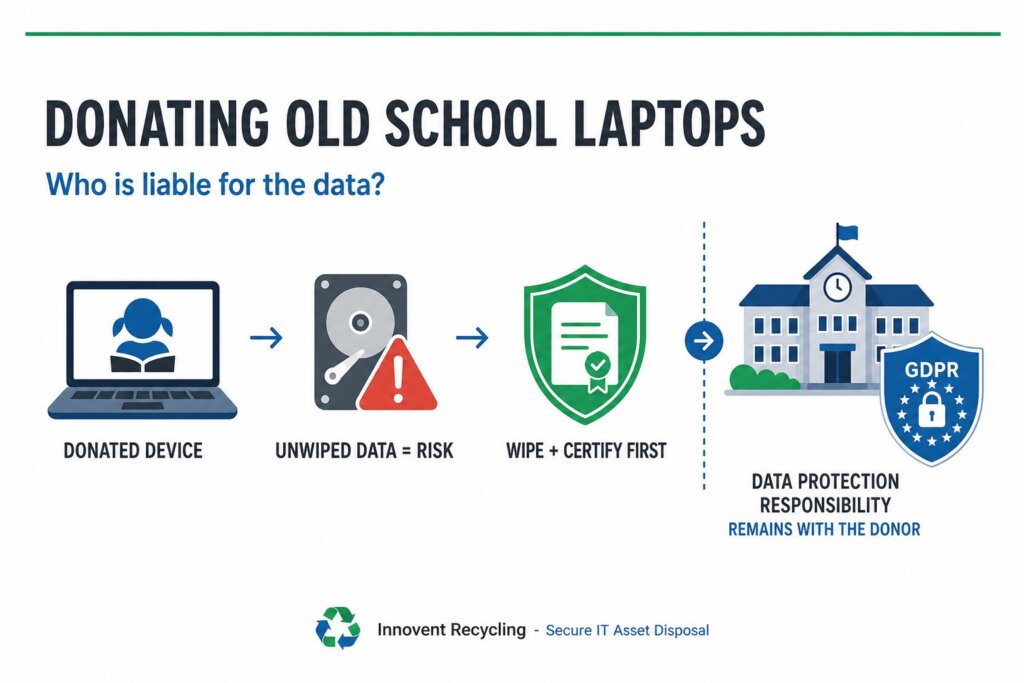
The school remains liable. Under UK GDPR, a school or trust stays the data controller for pupil data stored on a laptop, even after giving it away. If personal data surfaces on a donated device, the ICO holds the school to account — not the charity or family that received it. The safe rule: wipe first, with proof, always.
Key facts at a glance
- Liability for pupil data never transfers with a donated device. The school stays the data controller under UK GDPR.
- The ICO fined one NHS trust £325,000 after drives given to a contractor for destruction appeared on eBay.
- Second-hand electrical equipment must be safe when supplied. That is why many charities refuse laptops they cannot PAT test.
- The DfE digital and technology standards expect asset registers to record disposal dates, with all data deleted first.
- NIST 800-88-compliant wiping with a serial-matched certificate is the only safe step before any donation.
Who is liable if a donated school laptop leaks pupil data?
Liability for pupil data stays with the school, whoever ends up holding the laptop. Under UK GDPR, the school or trust that collected the data is the data controller. That responsibility does not transfer when a device is donated, sold or scrapped, and the accountability principle requires the school to demonstrate compliance with documentation. If safeguarding notes, SEND records or cached emails turn up on a donated machine, the school answers to the Information Commissioner's Office (ICO), reports the breach within 72 hours, and faces the fallout with parents.
The precedent is stark. In 2012 the ICO fined Brighton and Sussex University Hospitals NHS Trust £325,000 after hard drives, handed over for destruction, were sold on eBay with patient data intact. A contractor caused the breach; the trust paid the fine. The same logic applies to a school that passes laptops to a charity, a parent or a PTA sale without certified wiping. For the most serious breaches, UK GDPR penalties can reach £17.5 million.
What must a school do before any device leaves the building?
Every device must be wiped or destroyed, and the action recorded, before it leaves the school's control. That is the core UK GDPR obligation, and it applies to donations just as much as disposals. Logging out of accounts or deleting user profiles does not meet it.
Before releasing any laptop, a school should:
- Check the asset register and confirm the serial number of every device leaving site.
- List what each device may hold: local documents, cached email, saved passwords, safeguarding and SEND files.
- Remove devices from management systems such as Intune or Google Admin and clear firmware locks.
- Arrange secure data destruction to NIST 800-88 standards, with a certificate for each serial number.
- Record the disposal date, method and recipient against the asset register.
Skip a step and the school loses the evidence trail it would need if a breach ever came to light.
Why do charities refuse donated school laptops?
Most charities turn away school laptops because the kit arrives as a liability, not a gift. Two sets of rules drive the refusals.
First, safety. Second-hand electrical equipment must be safe when supplied, under the Electrical Equipment (Safety) Regulations 2016 and the General Product Safety Regulations 2005. In practice, that means a PAT test by a competent person, correct plugs and fuses, and sound batteries and chargers. Many charity shops cannot resource that testing, so they refuse electrical goods outright.
Second, data. Major charities state openly that they cannot accept laptops or tablets because they cannot verify personal data has been wiped, and they will not carry that risk. Add the practical problems — missing chargers, tired batteries, and machines stuck on Windows 10, which lost support in October 2025 — and a pallet of old school laptops often costs a charity more to handle than it is worth.
What is the wipe-first rule?
The wipe-first rule is simple: no device leaves site until its data is destroyed and documented. A quick factory reset is not the same thing. On older hard drives, reset or deleted data can often be recovered with free software, and a reset leaves no evidence that anything was done at all.
A defensible wipe means software erasure to NIST 800-88 standards, verified against each drive, with a certificate matched to the device serial number. Drives that fail verification, or that are damaged, should be physically shredded to HMG IS5 (Enhanced) standard instead. Either way, the school ends up with proof: which device, which method, which date. Our guide to certificates of destruction explains what that paperwork must contain. Only once the certificate exists should anyone talk about where the laptop goes next.
Which route is safest: donate, wipe then donate, or buyback?
Certified wiping before any transfer is non-negotiable; the real choice is who carries the logistics and where the value goes. Schools weighing up their options usually land on one of three routes.
| Route | Data risk | Safety and admin burden | Value to the school |
|---|---|---|---|
| Donate as-is | High — school stays liable for any data left on devices | High — safety rules and refusals fall on the school | None |
| Certified wipe, then donate | Low — wipe certificates prove compliance | Medium — school still finds a willing recipient and covers testing | Goodwill only |
| Buyback and fund | Low — wiping and certificates are built in | Low — collection and paperwork are handled for you | Cash rebate for working devices |
The third route often surprises schools. Through IT equipment buyback, working laptops earn a rebate, and the school can donate that cash to its chosen charity. The charity gets funds it can actually use, with no safety testing, no storage and no data risk.
What do the DfE digital standards say about disposal records?
The DfE's digital and technology standards expect a school to record the full life of every device, including how it left. The standards call for an asset register listing serial numbers, who each device is assigned to, purchase dates and disposal dates. When devices are disposed of, the guidance says action must be taken to delete all the data on them, and disposal must meet both WEEE regulations and data protection requirements. Registers must be kept up to date as equipment leaves, so an unrecorded donation is a compliance gap in itself.
Serial-matched wipe certificates and asset reports slot straight into that register, giving governors and auditors a clean answer for every machine. For multi-academy trusts, the same records need consolidating across sites. Our guide to IT disposal for schools and MATs covers how to run that process across a whole trust, from asset lists to final certificates.
How can a school still support charities and families?
Donating well means separating the goodwill from the risk. There are three sound ways to do it. Work with a specialist refurbishment charity that is set up to test and redistribute devices — but still wipe and certify each machine before handover. Donate newer, working, wiped laptops directly, with the certificates and asset records filed. Or take the buyback rebate as cash and give that instead, which most charities prefer to ageing hardware.
Innovent Recycling supports all three. We are ISO 27001 certified, we collect free of charge nationwide — from primary schools near our Ellesmere Port facility to trusts needing computer recycling in Manchester and beyond — and nothing we handle goes to landfill. Every device leaves the process wiped or shredded, with serial-matched paperwork for your register.
Frequently asked questions
Can a school be fined if a donated laptop still contains pupil data?
Yes. The school remains the data controller under UK GDPR, so the ICO can take enforcement action against it — from reprimands to substantial fines — even though the device had been given away. The school must also report the breach within 72 hours and may have to inform affected families.
Is a factory reset enough before donating a laptop?
No. A reset can leave recoverable data on older hard drives, and it produces no evidence of what was done. A NIST 800-88-compliant wipe, verified and recorded against the device serial number, is the accepted standard. The certificate is what protects the school if questions arise later.
Do donated laptops need a PAT test?
Second-hand electrical equipment must be safe when supplied, and a PAT test by a competent person is the accepted way to show it. Many charities cannot carry out that testing, which is exactly why they refuse laptops, chargers and other electrical donations at the door.
What records should a school keep after donating or disposing of laptops?
Keep the asset register entry showing serial number and disposal date, the serial-matched wipe or destruction certificate, the waste transfer or collection paperwork, and the recipient's details. Together these records satisfy UK GDPR accountability and the asset register expectations in the DfE digital standards.
Can buyback still support our chosen charity?
Yes, and often more effectively than donated hardware. Working devices earn a rebate through buyback, and the school can pass that money to the charity as a cash gift. The charity avoids safety testing, storage and data risk, and receives value it can spend on its actual work.
Who collects the laptops, and what does it cost?
Innovent Recycling collects from schools nationwide, free of charge, as a registered Waste Carrier. Every device is wiped or destroyed with serial-matched certificates supplied for your records. Book a collection online or call 0151 355 5482 to arrange a date that suits the school calendar.