
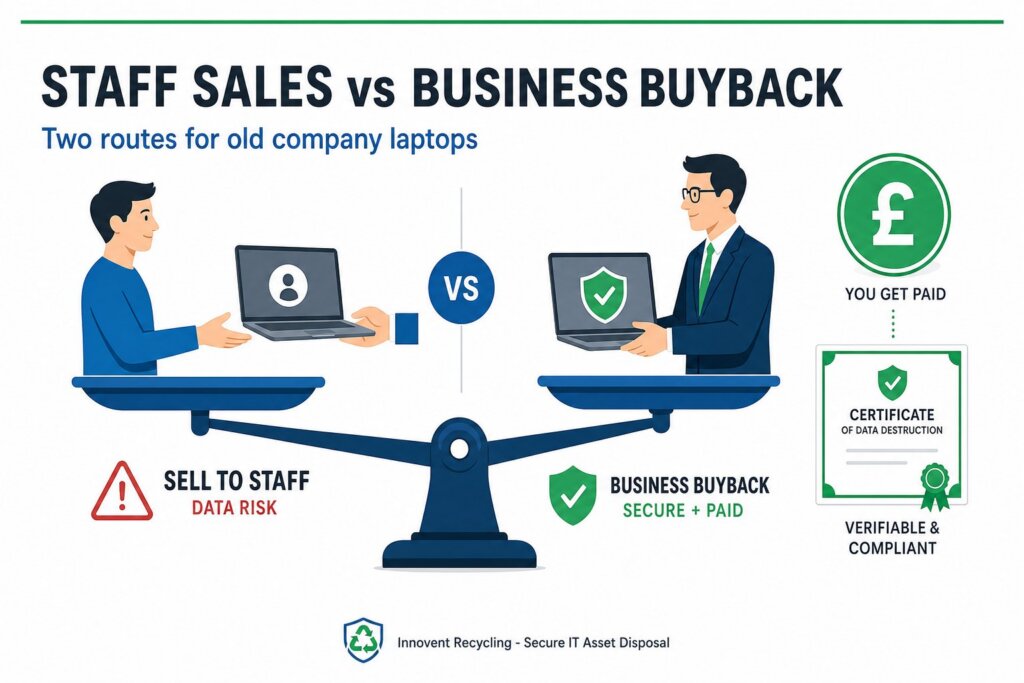
Selling old company laptops to staff looks like the easy option, but it rarely is. Below-market staff sales can trigger benefit-in-kind tax, leave company data on devices and break your audit trail. A business buyback pays a rebate, wipes every drive to NIST 800-88 and records each serial number in one documented process.
Key facts at a glance
- Selling a laptop to an employee below market value normally creates a taxable benefit in kind
- Taxable benefits are reported to HMRC, and the employer pays Class 1A National Insurance on them
- An unwiped laptop that leaves with a staff member remains the company's UK GDPR problem
- Staff sales produce no serial-matched disposal records, so there is nothing to show at audit
- A business buyback combines rebates, certified NIST 800-88 data wiping and serial-matched certificates in one process
- Innovent Recycling is ISO 27001 certified with free nationwide collection — call 0151 355 5482
Why Do Staff Ask to Buy Their Old Work Laptops?
Staff requests to buy old work laptops spike with every hardware refresh, and they are hard to refuse without a policy. The Windows 10 deadline pushed thousands of UK businesses into refresh cycles, and employees have grown attached to the machines they used every day. From their side, the logic is simple. The laptop is three years old, the company no longer wants it, and they would happily pay fifty pounds for it. Many IT managers have faced this exact conversation, and it fills threads on forums like r/sysadmin for good reason. Saying yes feels generous and saying no feels petty. The problem is that the person left holding the tax questions, the data risk and the licensing mess is not the employee. It is the IT manager who agreed to the sale without checking what it actually involves.
What Are the Tax Rules When You Sell Old Company Laptops to Staff?
HMRC generally treats a discounted staff laptop sale as a taxable benefit in kind. The starting point is market value. If a laptop would fetch £300 on the open market and an employee pays £50, the £250 difference is normally a taxable benefit. The taxable amount can be higher still where the device was previously available for the employee's private use, because a special rule compares the value at transfer with the value when it was first provided. Taxable benefits must be reported to HMRC, currently through the P11D process, and the employer pays Class 1A National Insurance on them. Those reporting rules are also changing, with payrolling of most benefits being phased in from April 2027. VAT-registered businesses normally need to account for VAT on staff sales too. Tax treatment always depends on your circumstances, so speak to your accountant before running any staff sale.
Who Is Liable if a Staff-Sold Laptop Still Holds Company Data?
Your business stays liable for the personal data on a laptop even after an employee has bought it. Ownership of the hardware transfers. Responsibility for the data does not. A quick Windows reset before handover is not secure data destruction, and recoverable files can survive it, especially on solid-state drives. If a staff-sold laptop later turns up on eBay with client records or HR files intact, the ICO will ask your company to explain, not the employee. UK GDPR fines can reach £17.5 million or 4 per cent of global turnover. The deeper problem is proof. An in-house wipe done by a busy technician leaves no independent evidence, and most staff sales leave none at all. Serial-matched certificates of destruction exist precisely so a business can show, years later, exactly what happened to every drive.
What Hidden Costs Do Staff Laptop Sales Create?
The real costs of staff laptop sales sit in admin, licensing and support, not in the sale price. To avoid a benefit-in-kind charge, you need evidence of market value for every single device, which means researching and recording comparable prices. Each machine must be removed from mobile device management, cleared of BIOS passwords and encryption keys, and struck off the asset register. Volume-licensed software such as Microsoft 365 does not transfer with the hardware, so the employee inherits a laptop that needs a fresh setup. Then come the support expectations. Staff who buy their old work machine still bring it to IT when it misbehaves, and refusing help feels awkward when you sold it to them. Add payroll reporting, VAT and the inevitable dispute over who gets the best machine, and a fifty-pound sale can consume hours of skilled time per device.
How Does a Business Buyback Compare?
A business buyback turns the whole staff-sale problem into one documented transaction. A provider such as Innovent Recycling collects the retired fleet, wipes every drive to NIST 800-88 standards or physically destroys it in line with HMG IS5 (Enhanced), and pays a rebate based on the resale value of the equipment. Collection is free nationwide, and every device is tracked by serial number from your door onwards. You receive serial-matched certificates of data destruction plus an asset report, which closes the audit loop that staff sales leave open. There is no benefit-in-kind question, because nothing is sold to an individual employee below market value. There is no landfill risk either, because working equipment is refurbished for reuse and the remainder is recycled under a zero-landfill policy. Our IT equipment buyback page explains what qualifies and how valuations work.
Staff Sales vs Business Buyback: The Real Costs Compared
An honest comparison shows staff sales winning on goodwill and little else. The table below sets the two routes side by side for a typical refresh of company laptops.
| Factor | Selling to staff | Business buyback |
|---|---|---|
| Price per device | Sometimes higher on paper, before admin time is counted | Trade rebate based on age, specification and condition |
| Tax and reporting | Benefit-in-kind risk, P11D reporting, Class 1A NIC, VAT on sales | Standard business disposal with a single settlement |
| Data security | Relies on in-house wiping, with no independent verification | NIST 800-88-compliant wiping or HMG IS5 (Enhanced) destruction |
| Audit trail | Usually none | Serial-matched certificates and asset reports |
| Admin time | Valuation evidence, licence cleanup and payroll reporting per device | One free collection covering the whole fleet |
| Ongoing support | Informal expectations that IT will keep helping | None — the devices leave the business completely |
| Environmental record | None | Zero-landfill processing with documented reuse and recycling |
| Staff goodwill | High — employees feel valued | Neutral, though rebates can fund staff perks instead |
When Does Selling Laptops to Staff Still Make Sense?
Staff sales can still work for a handful of devices, provided they are handled properly. If a long-serving employee wants their old machine, or a leaver asks to keep a laptop as part of their exit, the goodwill can be worth the effort. The key is doing it correctly rather than informally. Wipe the drive to a recognised standard before handover, never after. Sell at a genuine market price and keep written evidence of how you set it, because that is what removes the benefit-in-kind charge. Remove the device from mobile device management and the asset register, and record the serial number and buyer. Confirm the VAT and reporting position with your accountant before money changes hands. Follow all of that for two or three laptops and it is manageable. Follow it for a forty-device refresh and the buyback route wins on every measure except sentiment.
What Should IT Managers Do Before the Next Refresh?
Decide your disposal route before the refresh starts, not after staff begin asking. A short written policy saves every awkward conversation later, and it protects you from making case-by-case exceptions that HMRC or an auditor might question. Count the devices coming out of service and note their age and specification, since business laptops under four years old usually hold resale value. Then get a buyback valuation before assuming staff sales are the better deal, because the rebate often compares well once admin time is priced in. Innovent Recycling provides free collection anywhere in the UK from our Ellesmere Port facility, covering everything from a single office to multi-site fleets, including computer recycling in Manchester and across the North West. You can book a collection online, or call 0151 355 5482 to talk through IT asset disposal options for your refresh.
Frequently Asked Questions
Can we sell old company laptops to staff without paying tax?
Generally yes, if each laptop is sold at genuine market value and you keep evidence of how that value was set. Selling below market value normally creates a taxable benefit in kind that must be reported to HMRC. Rules depend on your circumstances, so always confirm the position with your accountant first.
Do we need to charge VAT when selling laptops to employees?
VAT-registered businesses normally have to account for VAT on assets sold to employees, just as they would on any other sale. The VAT is based on the amount charged. This is another reason to agree the process with your accountant before running a staff sale rather than afterwards.
Is a factory reset enough before selling a laptop to an employee?
No. A standard Windows reset or file deletion can leave recoverable data on the drive, particularly on solid-state storage. Drives should be wiped to a recognised standard such as NIST 800-88 before any device leaves the business, and the wipe should be documented against the laptop's serial number.
How much are old company laptops worth in a buyback?
Values depend on age, brand, specification, condition and quantity, so there is no single figure. Business-grade laptops under four years old typically attract the strongest rebates. The practical answer is to request a free valuation with your device list, which commits you to nothing and gives a real comparison figure.
What paperwork should we hold after disposing of company laptops?
Keep a certificate of data destruction listing every drive by serial number, plus an asset report showing what happened to each device. Waste documentation from a registered Waste Carrier completes the trail. Together these prove compliant disposal to auditors, insurers and the ICO, years after the laptops have gone.